
Online Image Compressor Tool Script | Online Image Optimizer | Photo Optimization Tool
Original price was: $25.00.$10.00Current price is: $10.00.
- Web-Based Tool
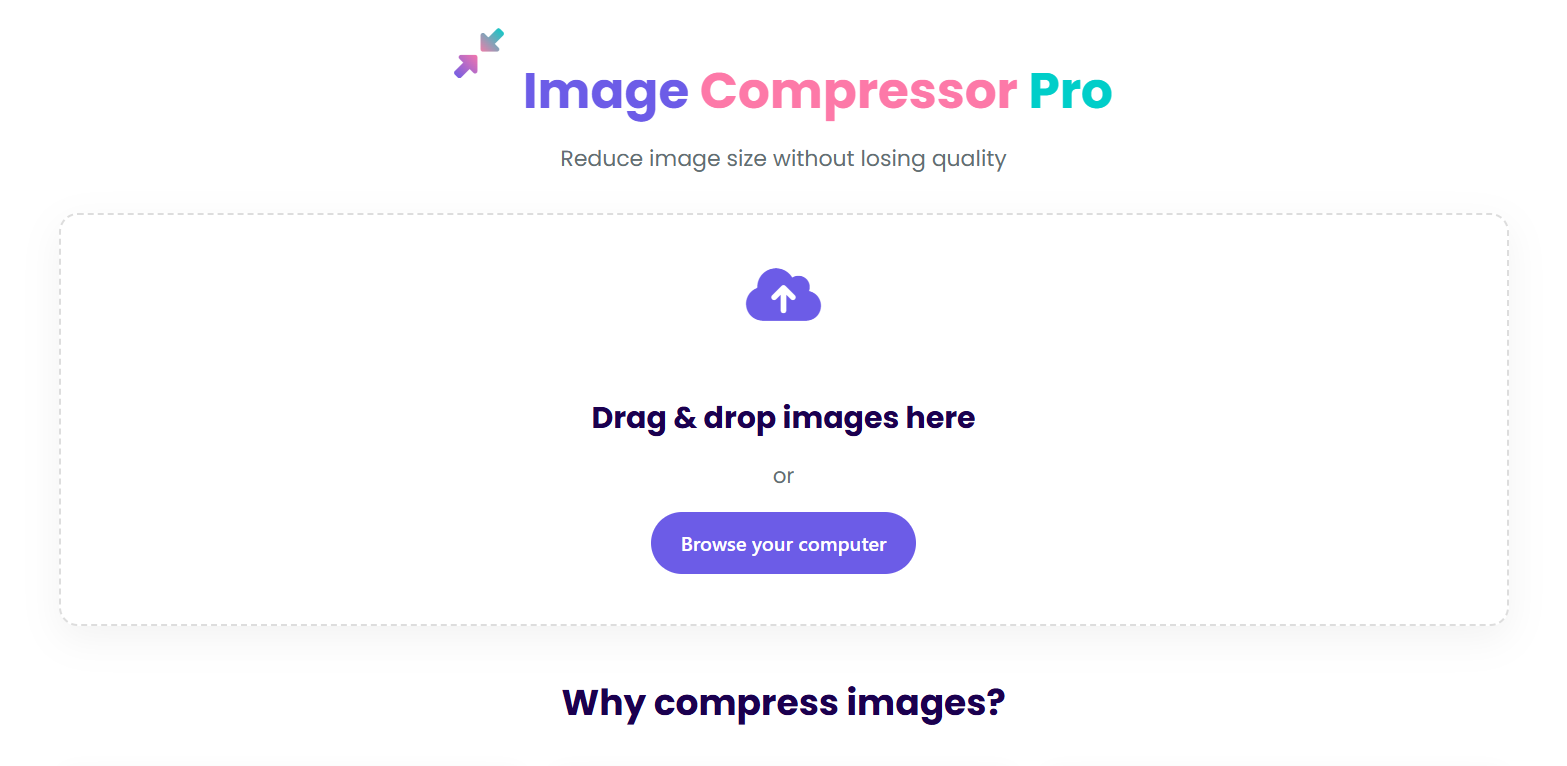
- Drag & Drop Interface
- Batch Processing
- Quality Preservation
- Browser-Based Compression
- Support JPEG, WebP, PNG, JPG
- User-friendly interface.
- Live Demo
Description
Key Features:
-
Actual Image Compression:
-
Uses the compressorjs library for real compression
-
Converts images to 60% quality
-
Resizes images to max 1920×1080 pixels
-
Converts large files (>500KB) to JPEG
-
-
Proper Download Functionality:
-
Individual download buttons for each compressed image
-
“Download All” button to download all at once
-
Proper filename handling (keeps original name but changes extension to .jpg)
-
-
User Experience:
-
Loading indicators during compression
-
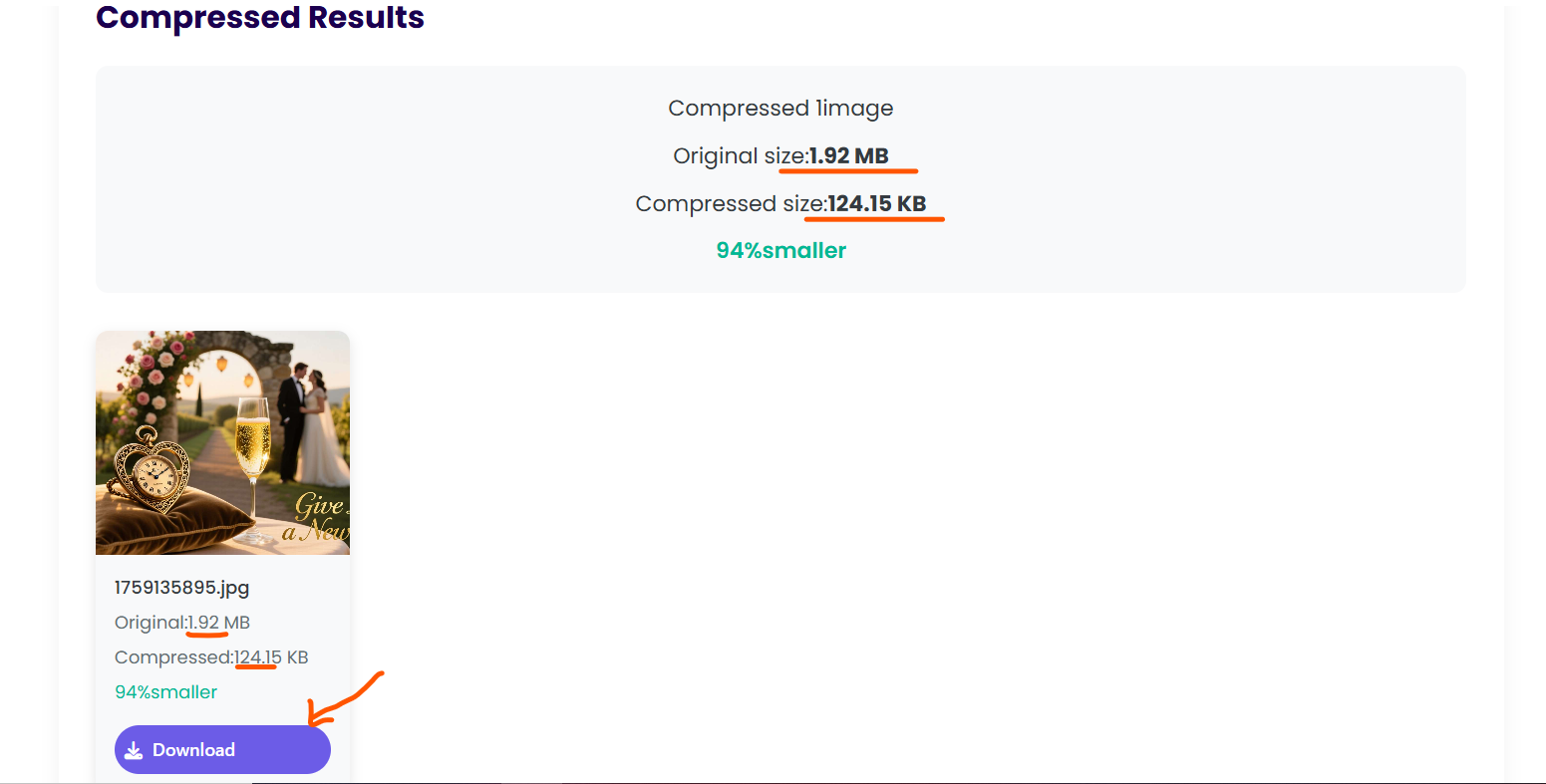
Clear before/after comparison
-
Savings percentage shown for each image
-
Responsive design works on all devices
-
-
Memory Management:
-
Proper cleanup of object URLs
-
Prevents memory leaks
-
To use this, create three files (index.html, styles.css, script.js) and copy the respective code into each file. The page will work with real image compression and downloads.
Features Implemented:
-
Drag and Drop Interface: Users can drag and drop images directly onto the upload area.
-
File Browser: Traditional file selection through the file input.
-
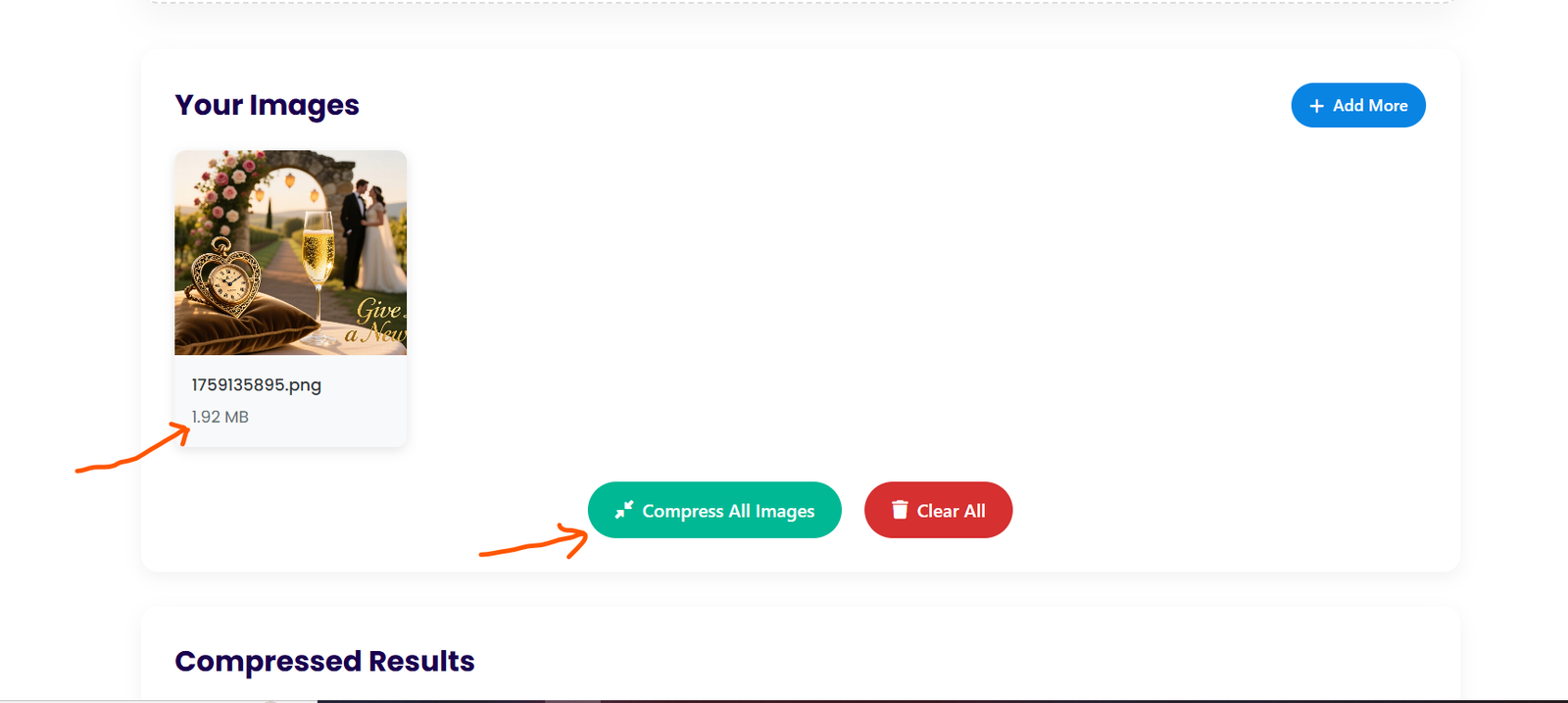
Image Preview: Displays thumbnails of selected images, including file names and sizes.
-
Add More Images: Option to add more images after initial selection.
-
Bulk Compression: Compresses all selected images at once.
-
Compression Results: Shows before/after comparison with savings percentage.
-
Download Options: Individual and bulk download of compressed images.
-
Responsive Design: Works on mobile, tablet, and desktop.
-
Attractive UI: Colorful design with smooth animations and transitions.
-
Information Section: Explains why image compression is important.
How to use the Image Compressor tool script
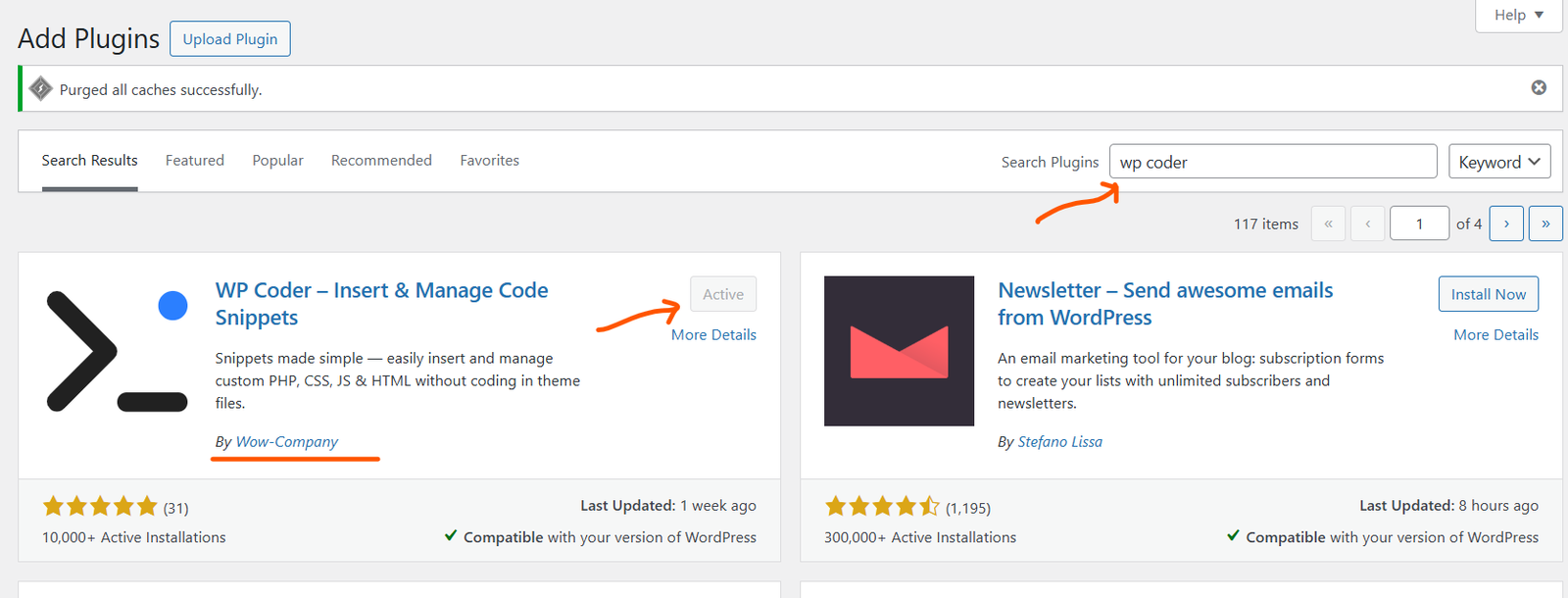
- Install any WP Coder WordPress Plugin.
- Best plugin WP Coder.
- Search plugin WP Coder.
- Install the plugin.
- Activate the plugin.
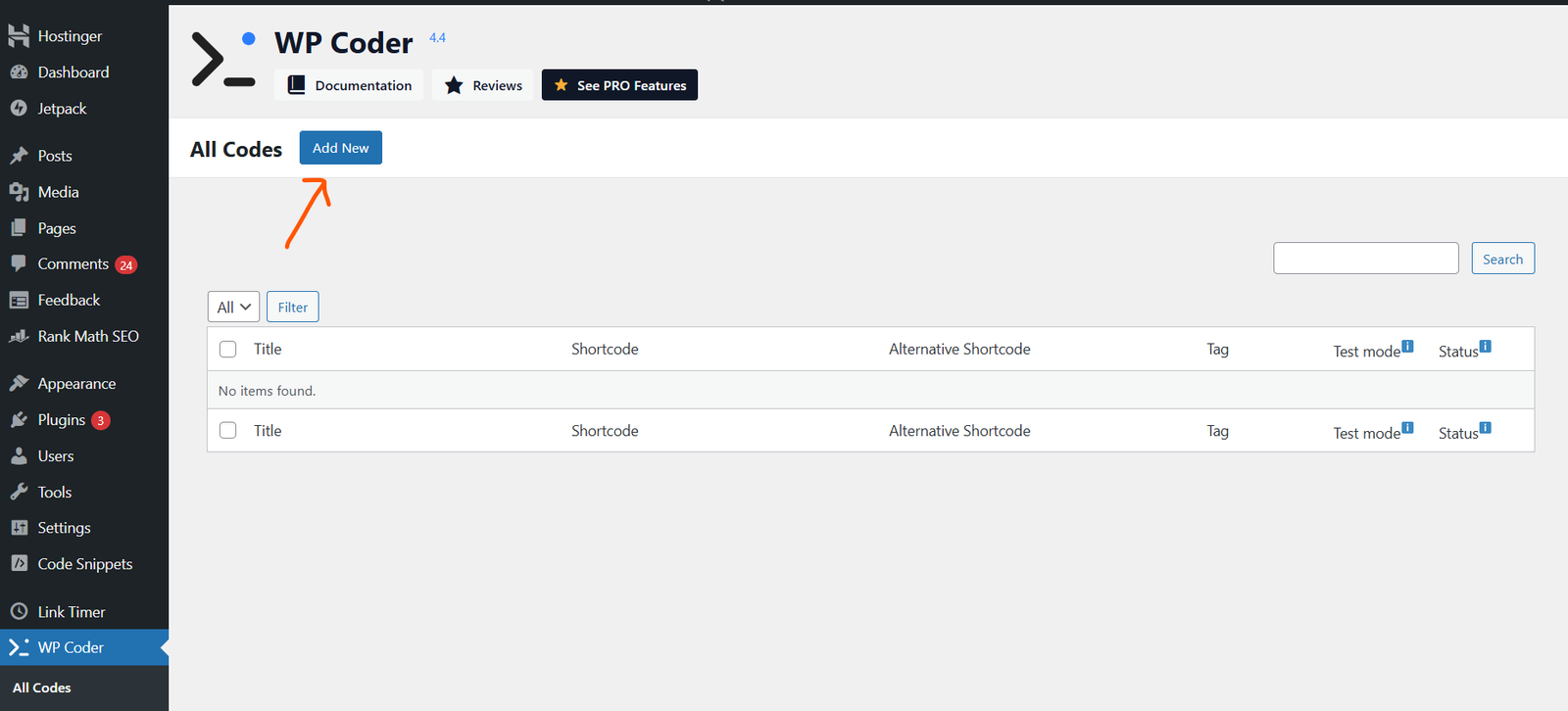
- Add New Code.
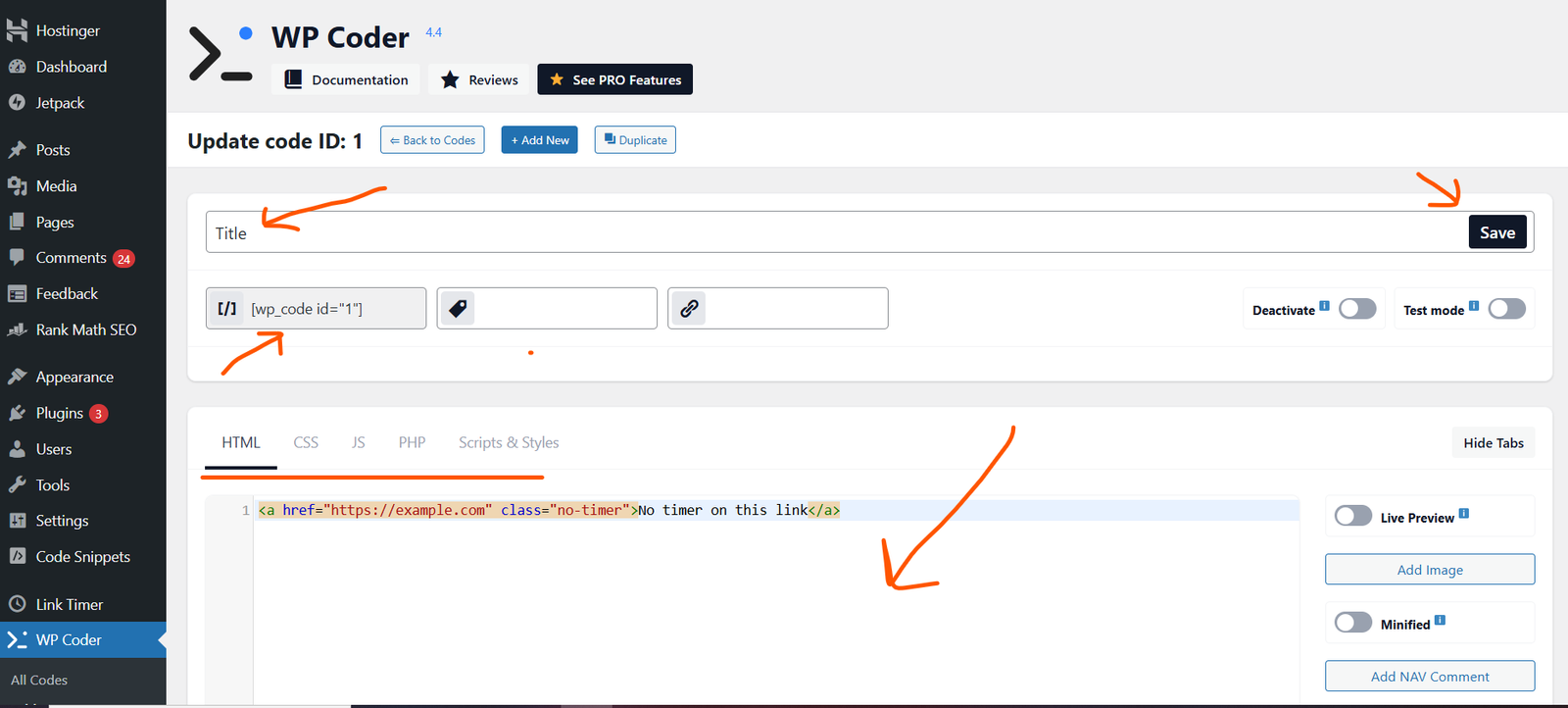
- Enter file name.
- Paste code like HTML, CSS, and JS code.
- After pasting all code, click Save
- Copy Look like
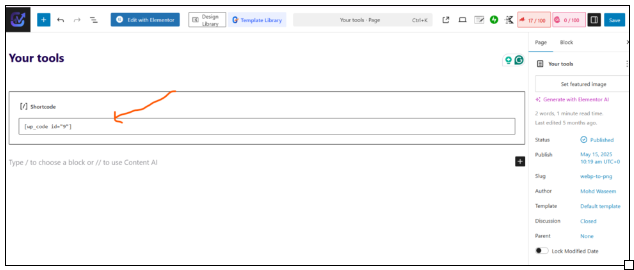
- Create a new page
- Paste Shortcode here
- Publish Now.
Only logged in customers who have purchased this product may leave a review.
Related products
-
Sale!

Online JPG to WEBP Converter Tool Script | Convert JPEG to WebP Tool Script
Original price was: $25.00.$10.00Current price is: $10.00.
Reviews
There are no reviews yet.