
Online JPG to WEBP Converter Tool Script | Convert JPEG to WebP Tool Script
Original price was: $25.00.$10.00Current price is: $10.00.
- Drag & Drop Interface
- Multiple File Selection
- Real-time Preview
- Size Optimization
- Individual & Bulk Download
- New Conversion Reset
- File Type Include: HTML, CSS, JS
- Live Demo
Description
Convert JPG to WEBP for Lightning-Fast Loading Speeds
Discover how to dramatically reduce image file sizes while maintaining quality with our browser-based JPG to WEBP converter tool script.
Why Image Optimization Matters More Than Ever
In today’s fast-paced digital world, website speed is everything. Did you know that:
53% of mobile users abandon sites that take longer than 3 seconds to load
A 1-second delay in page response can result in a 7% reduction in conversions
Images account for over 60% of a typical webpage’s total size
That’s where WEBP comes in – Google’s modern image format that can reduce your image file sizes by 25-35% without sacrificing quality. And the best part? You don’t need to be a tech expert to start using it!
Introducing Our JPG to WEBP Converter tool
We’ve built a powerful tool that lets you convert your JPG images to WEBP format right in your browser – no uploads, no installations, no technical knowledge required.
Key Features That Make This Tool Special
🛡️ 100% Privacy-First
Your images never leave your computer
All processing happens locally in your browser
No server uploads, no data storage
⚡ Lightning-Fast Conversion
Batch process multiple images simultaneously
Real-time progress tracking
Smart quality optimization
🎨 User-Friendly Interface
Drag & drop simplicity
Visual preview of all images
Clear file size comparisons
📱 Universal Compatibility
Works on all modern browsers
Mobile-responsive design
No plugins or extensions needed
🚀 How to Use the Converter: A Step-by-Step Guide
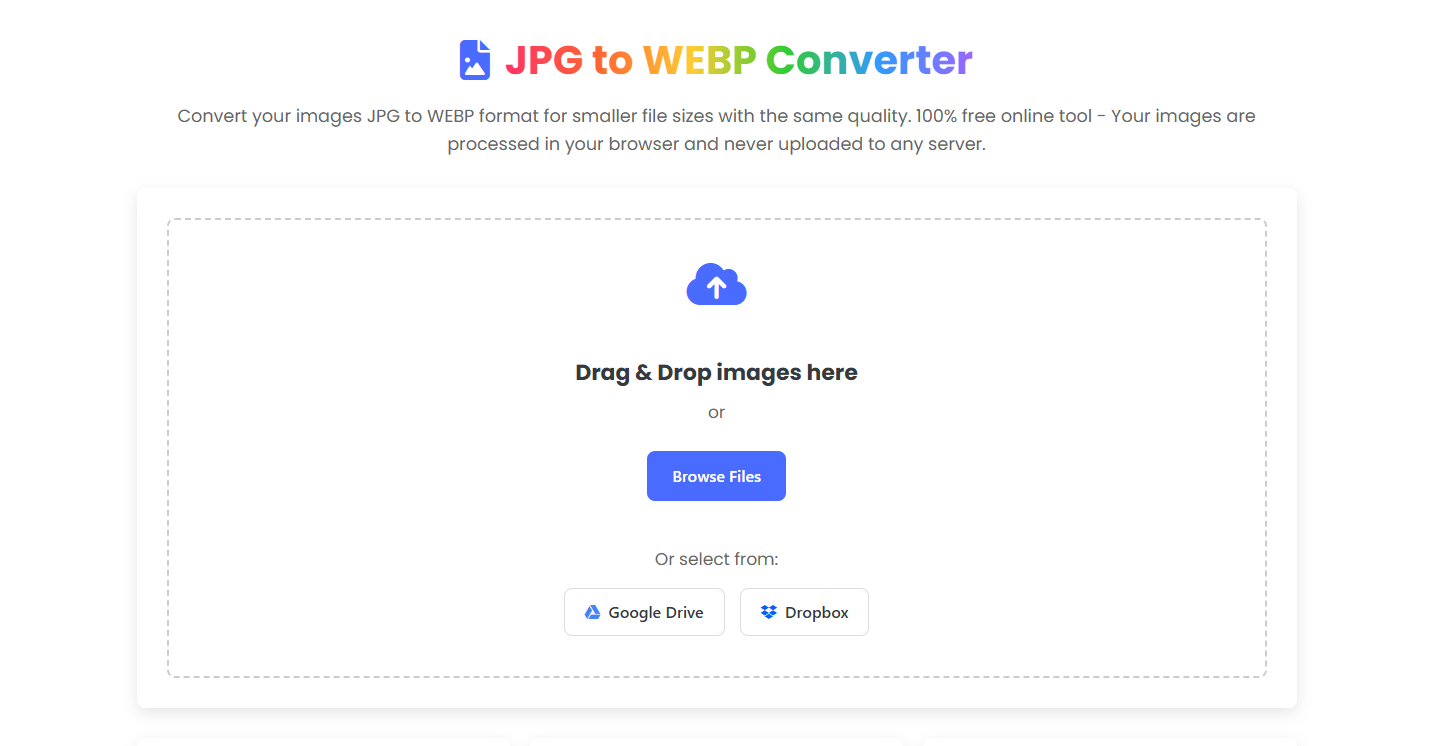
Step 1: Select Your Images
Choose your JPG images using any of these methods:
Drag and drop files directly onto the upload area
Click “Browse Files” to select from your computer
Use the cloud service buttons (Google Drive, Dropbox integration available)
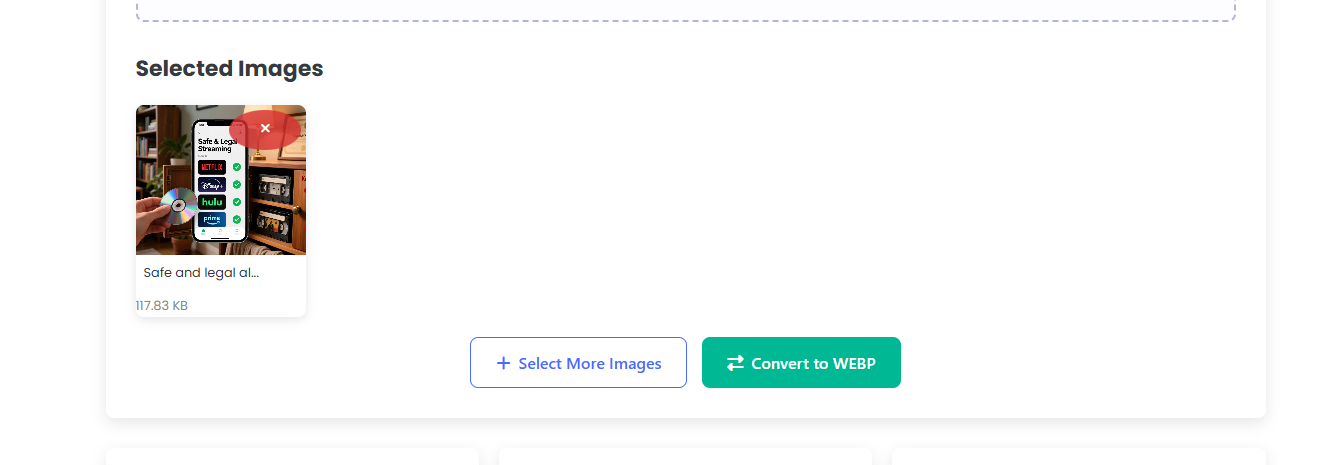
Step 2: Review Your Selection
See all your selected images in a beautiful grid layout with:
Thumbnail previews
Original file names
File size information
Option to remove individual files
Step 3: Convert to WEBP
Click the “Convert to WEBP” button and watch the magic happen:
Real-time progress bar shows conversion status
Smart algorithm finds the optimal compression level
Automatic quality adjustment ensures maximum size reduction
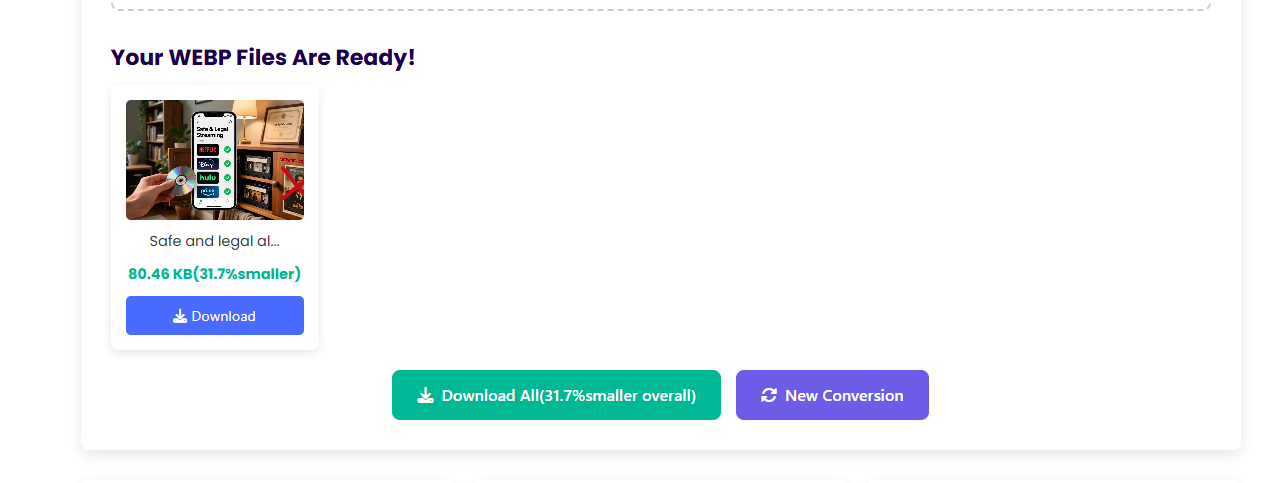
Step 4: Download Your Optimized Images
Download individual files or use “Download All” for batch processing
See exactly how much space you’ve saved with each file
Use “New Conversion” to start fresh with more images
Why WEBP Beats Traditional Formats
Superior Compression
WEBP uses advanced compression algorithms that are simply more efficient than JPEG. The format provides:
Better lossy compression than JPEG at comparable quality settings
Lossless compression that’s 26% smaller than PNG
Alpha channel support (transparency) unlike JPEG
Animation support like GIF but with better compression
Browser Compatibility
WEBP is now supported by all modern browsers:
Chrome (since version 25)
Firefox (since version 65)
Edge (since version 18)
Safari (since iOS 14 and macOS Big Sur)
Opera (since version 11)
SEO Benefits
Faster loading times directly impact your search engine rankings. Google’s Core Web Vitals specifically measure:
Largest Contentful Paint (LCP): How quickly your main content loads
Cumulative Layout Shift (CLS): Visual stability of your page
First Input Delay (FID): How responsive your site feels
Smaller images improve all these metrics, giving your SEO a significant boost.
How It Works Behind the Scenes
Our converter uses cutting-edge web technologies to deliver a seamless experience:
Smart Quality Optimization
The tool automatically finds the perfect balance between quality and file size:
Starts with 75% quality
Checks if compression meets our 20% reduction target
Gradually reduces quality if needed
Never goes below 60% quality threshold
Memory-Safe Design
Automatic cleanup of temporary files
Efficient memory management for large batches
Progressive loading to prevent browser crashes
🌐 Who Benefits from This Tool?
👨💼 Website Owners & Bloggers
Reduce hosting costs with smaller file sizes
Improve user experience and reduce bounce rates
Boost search engine rankings with faster load times
📸 Photographers & Creatives
Maintain image quality while reducing storage needs
Faster portfolio website loading
Better client experience when sharing galleries
🛒 E-commerce Stores
Faster product page loading = higher conversions
Reduced bandwidth costs
Better mobile shopping experience
👩💻 Developers & Agencies
Quick batch processing for client projects
No need for expensive software licenses
Consistent results across all projects
Only logged in customers who have purchased this product may leave a review.
Related products
-
Sale!

Online Image Compressor Tool Script | Online Image Optimizer | Photo Optimization Tool
Original price was: $25.00.$10.00Current price is: $10.00.
Reviews
There are no reviews yet.